Embracing the era of "I design & code"
I’d spent 7 weeks in India with my family and was finally flying back to San Francisco. I was really excited to sit at my desk and just soak in the silence. Don’t get me wrong—India is beautiful, India is home—but I’m addicted to the pin-drop silence that most evenings have to offer in San Francisco.
Back at my desk, I decided to just dive right in. I was on Cursor, ready to vibe code all the ideas I ever had. But Cursor stressed me out. Starting from the very first prompt, it did so many things I didn’t ask for. It reminded me of my mom a little.
I felt overwhelmed and left. Took a break for a couple hours and came back and tried approaching it with a different mindset. I started with a much simpler intention:
I’m not looking to walk away with anything tangible. I just want to experiment with AI.
Thirty days, 4 tools, 7 models, 2 paid subscriptions, and 2 successful deployments later - it was worth it! I had so much fun with this experimentation that the lessons I learned are worth sharing.
From Cursor chaos to actually shipping something, here’s how it went:
Prompt Anxiety is real (but fixable!)
Takeaway: I want AI to work with me and not ahead of me!
Turns out building with AI is not that different from cleaning the house with my partner. If I want fresh towels in both bathrooms, I need to say “put fresh towels in BOTH bathrooms.” In AI jargon, we call this “context,” but essentially it’s just communication.
My first prompt was simple: here’s a design in Figma, can you create this UI? What I expected was one HTML file with the UI built exactly as I designed it. To my surprise, Cursor thought for 4 seconds and then went off creating so many different files, wrote tons of code, and asked me to hit “run” on the terminal commands.
After restarting the same project several times, twisting my words but not getting the expected results and switching from one tool to another, here’s what I added to Cursor Rules:
- Do not invent UI
- Do not rearrange hierarchy
- Do not add steps
- Ask when something is missing
- Do not over-engineer
- Do not implement business logic yet
Show don’t tell, sketches beat paragraphs
Takeaway: If you’re good at communicating visually, use your rough sketches to brainstorm with AI!
As product designers, we are visual learners. We understand flows - how intent translates into interaction. It’s always been easier to draw than to explain how we want a system to behave.
I had this idea of creating a bento grid animation with 5 images. My initial prompt was simple:
Create a simple bento grid with 5 images, use any image from internet. Add some fun animation to it.
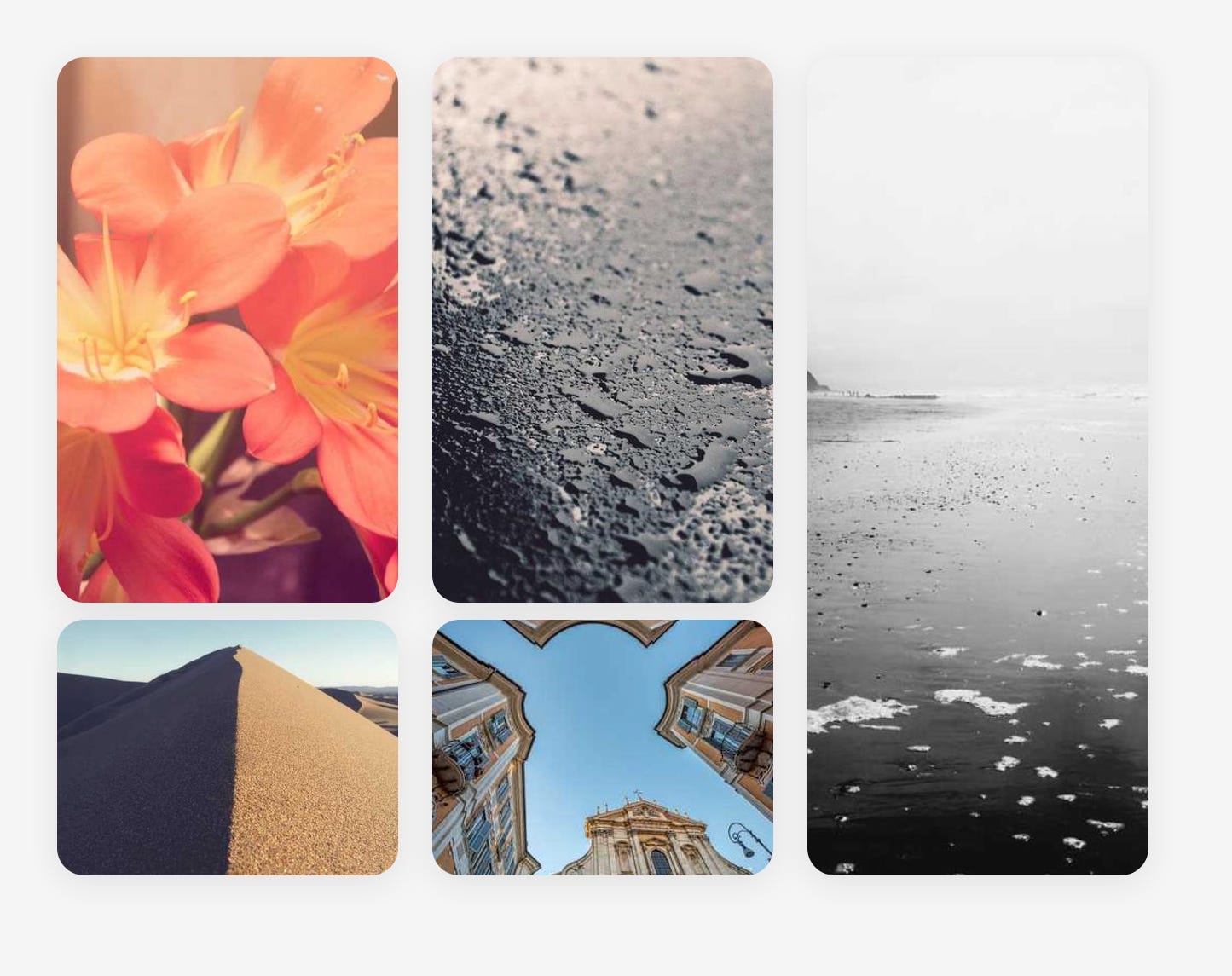
The result was pretty quick and usable, but the animation wasn’t quite what I wanted. So I started explaining how I wanted the boxes to animate. Here’s one of the prompts I wrote:
I want a different effect. Here's how the boxes should animate
- Let's number the images from 1 to 5, from left to right.
- I want image 2 & 3, the two images on the top row to slide to the left, the left most image changes to square image and the bottom image also changes to square.
- The image on the right becomes a rectangle on the top.
- I basically want the bento grid to change dynamically in position while keep the overall size of the grid same.
In retrospect, even I don't know what I wrote here. After spiraling down for a few minutes, using AI to generate prompts that could generate the desired animation, and also blaming the Indian education system which does not focus on language as much, I went back to paper and pen and started drawing what I really wanted each state to look like:
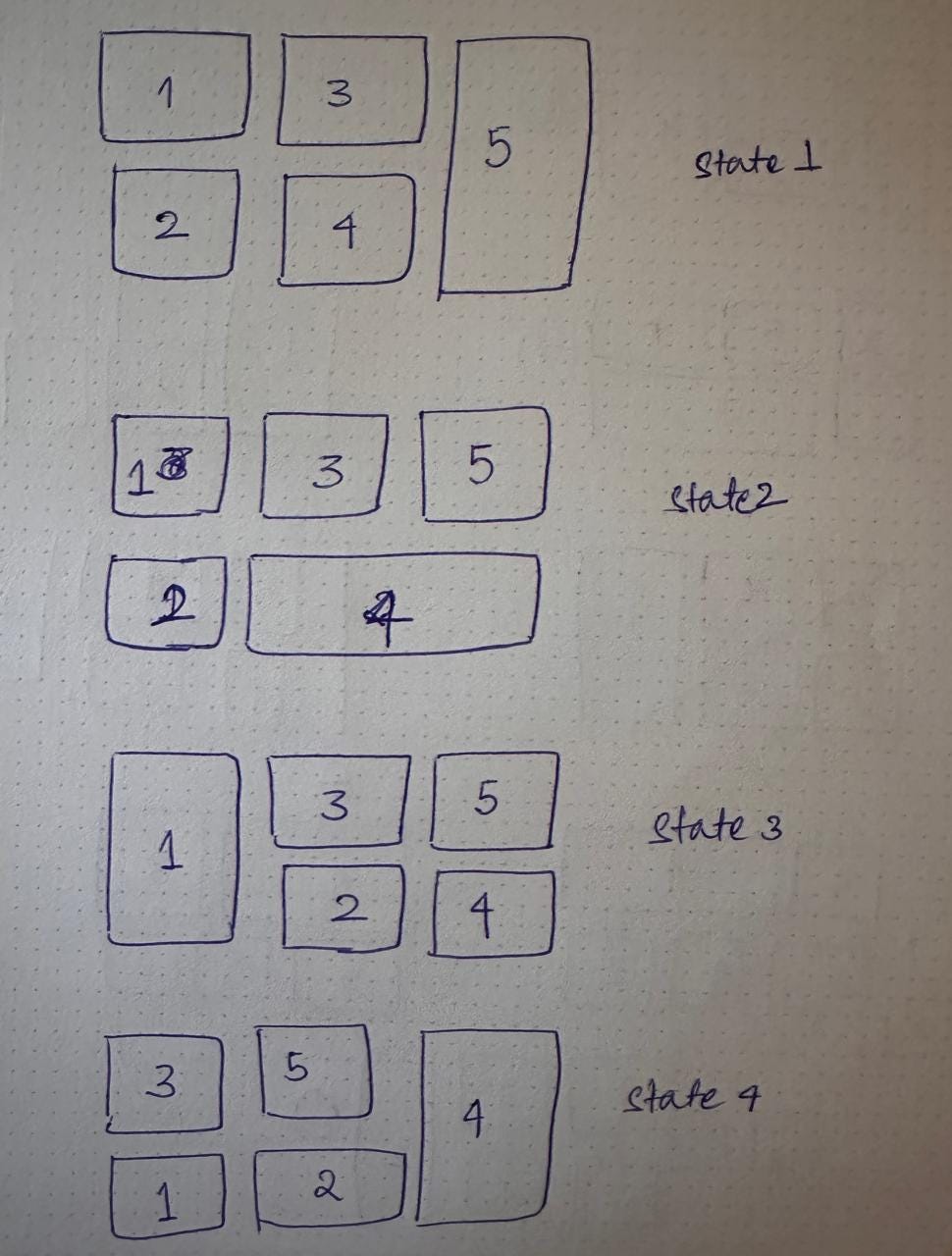
took a screenshot of this and asked Cursor to create these states with smooth transitions. And it nailed it - the animation was exactly what I'd sketched.
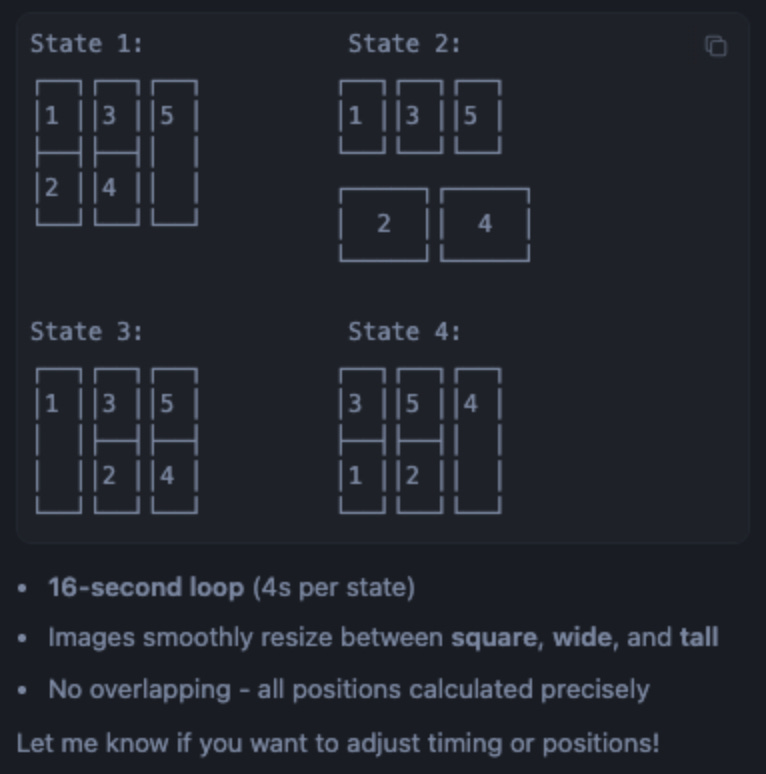
This has been a game changer in my vibe coding journey! It was the moment I realized I could actually build what I imagined.
Fewer Tools, Faster Path to Production
Takeway: The path from idea to production feels simpler and less scary.
In the past I messed with motion design quite a bit, also tried using different tools for building my portfolio website, the biggest friction felt learning a new tool. I don’t blame the tool, I think getting started is fairly easy, but to get excellent results it needs more.
In the past, if I had to implement a bento grid animation, the path might look something like this:
-
Decide which tool to use (usually Adobe After Effects)
-
Go down a YouTube rabbit hole for tutorials (always free ones)
-
Buying a subscription when the trial expires (I’m cheap, I know)
-
Hitting the hardest part: figuring out how this actually makes it to production… which involves multiple steps I’m not even sure I fully understand?
It was exhausting. Honestly, it killed a lot of ideas before I ever even got started.
End-to-end journey
Takeaway: I can ~~design~~ build experiences that are usable, intuitive, and pretty.
For the longest time, I avoided GitHub and always found it funny when engineers talked about “pull requests.” Those words meant nothing to me, but I finally came face-to-face with GitHub when I came across Claude Code.
I’m proud to share that my biggest achievement of 2025 was merging two PRs, being face-to-face with Terminal UI (it’s terrifying btw) and deploying my code on Vercel!
Going end-to-end has been really exciting. Vibe coding as a tool is something I’m finally starting to understand. Watching AI’s thinking process, seeing how it breaks down problems and implements solutions - that’s been pivotal in my building journey.